 Commy
Fixing common problems
Most problems have a quick fix in Settings. Start with the section that matches what you see.
Nobody can hear me
- Check the microphone button in the Voice Connected panel. A crossed out mic means you are muted, and a crossed out headset means you are deafened, which mutes you too.
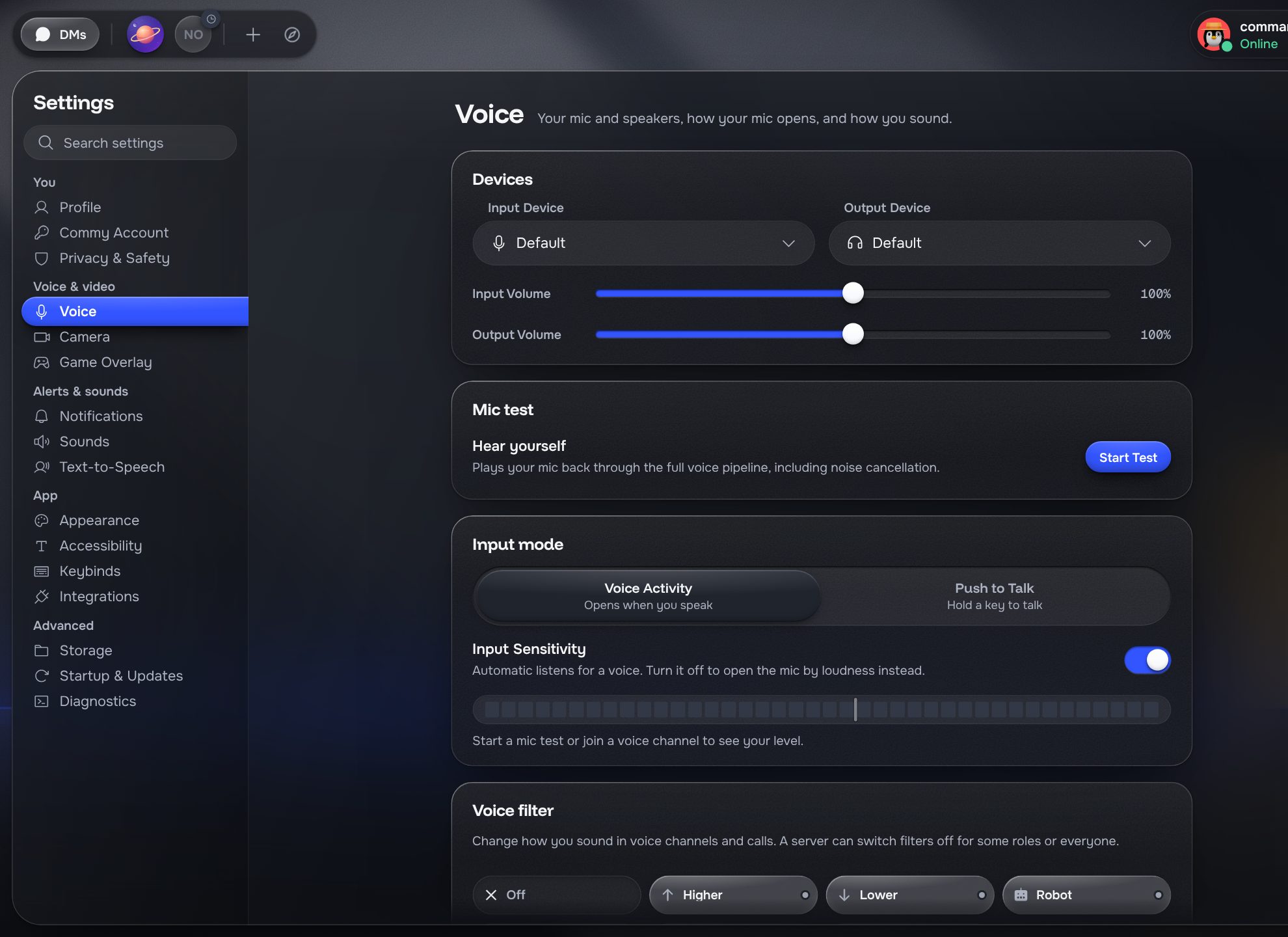
- Open Settings, Voice. Under Devices, make sure Input Device is the mic you are speaking into and that Input Volume is not at the bottom.
- Under Mic test, choose Start Test next to Hear yourself. Commy plays your mic back through the same noise cancellation everyone else hears, so you know exactly how you sound.
- Under Input mode, Push to Talk sends your voice only while you hold the key. Switch to Voice Activity if you meant to talk hands free. With Voice Activity, lower the Input Sensitivity bar if quiet speech gets cut off.
- A moderator can server mute people in a voice channel. If everything above looks right, ask a moderator whether you were muted.
I hear hiss, echo or a robot voice
- If your headset or mic software already removes noise, turn off Noise Cancellation or the headset's own filter. Running both can add hiss.
- Keep Echo Cancellation on unless you always use headphones. If other people hear themselves through you, it is probably off.
- Check that you did not pick a Voice Filter by mistake. Off is the first choice in Settings, Voice, Voice Filter.
Commy keeps voice clear on lossy or unstable connections, so short blips should not cut you off. If someone sounds broken all the time, click Voice Connected to see each person's ping, loss and jitter. See Voice and calls.
I hear nothing
- Check you are not deafened in the Voice Connected panel.
- In Settings, Voice, check Output Device and Output Volume.
- Right click the quiet person in the voice list. User Volume might be low, or you might have muted them for yourself.
- In Settings, Sounds, Play sounds turns Commy's own alert sounds on and off. It does not change voices.
My headset, mic or camera disappeared
Commy remembers the devices you pick. When you unplug one, it stays your choice and shows as (not connected) in the list, and Commy uses it again as soon as you plug it back in, even if your computer gives it a slightly different name. Your camera choice works the same way in Settings, Camera.
If a device never shows up, unplug it, plug it back in and open the list again. On a phone, Commy needs permission for the microphone and camera in your phone's settings.
A voice channel will not open
- Waiting for a steady connection. Right after Commy opens or comes back online, voice channels wait until Commy has caught up with the server. The channel list says what it is waiting for, and the channels open on their own. To join right away instead, turn off Wait for a steady connection before joining voice in Settings, Voice, Connection.
- The channel is full. A voice channel with a limit shows how many people are in it, such as 02/08. When it is full, Commy tells you.
- The channel is for certain roles. Some channels only let people with a role join. Commy tells you who can.
Pictures, files or voice messages will not load
Text messages reach you through Commy's encrypted sync, but pictures, videos, files and voice messages come from the devices of members who have them. When none of them is online, the file says whose app it is waiting for, keeps trying for a few minutes, and loads as soon as one of them is back.
- Your server is small. This happens most in small servers, where everyone can be offline at once. Ask the server owner to set up Cloudflare Storage. It keeps an encrypted copy of each file up to 30 MB on the owner's own Cloudflare account, so files load any time, and for most small servers it costs nothing.
- Already set up? The owner can open Server Settings, Cloudflare Storage, and choose Check Again. It should say Connected and working. Someone who just joined can load files from storage a couple of minutes after the owner's app, or a storage manager's app, is next open.
- A file you sent is missing. See Files and drives for how Commy finds the file again on your computer.
Notifications are quiet
- Check your status. Do Not Disturb silences every notification and sound until you change it.
- Right click the server in the top bar and look at its notification setting. Nothing or a muted server stays quiet. Channels can have their own setting too.
- Open Settings, Notifications, and choose Send Test to see a sample.
- On your computer or phone, make sure notifications for Commy are allowed. In the browser, the site needs notification permission.
Commy says a new version is out
When your copy is behind, a small notice at the top of the window says which version is out and that you may not be able to connect with people on the newest version until you update. Choose Update to install it.
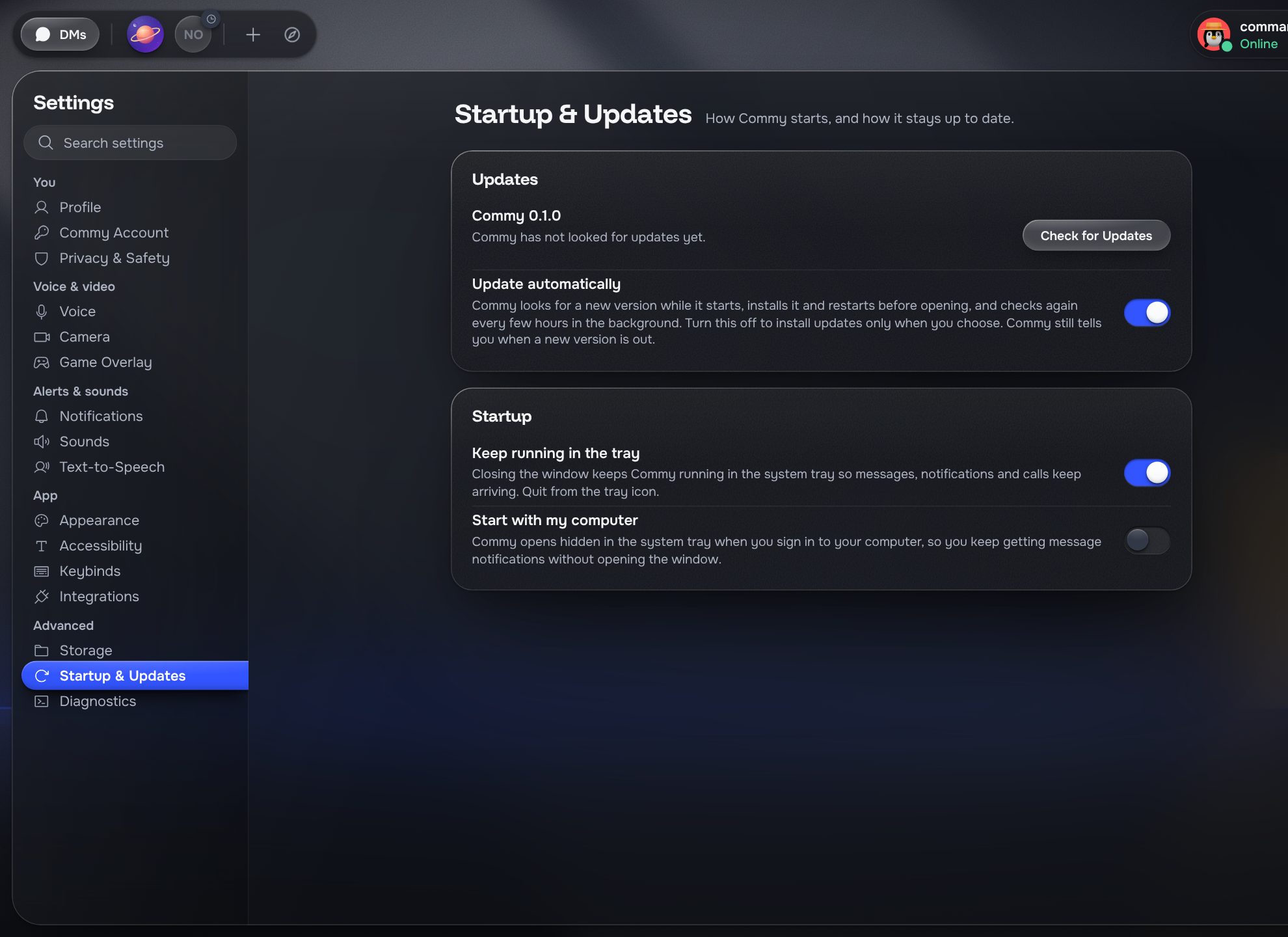
With Update automatically on, Commy installs new versions when it starts and checks again every few hours. To check by hand, open Settings, Startup & Updates, and choose Check for Updates. With it off, Commy still tells you when a new version is out, and Update Now installs it. A copy that runs without the installer asks you to download the new version from the download page.
Calls or streams feel slow
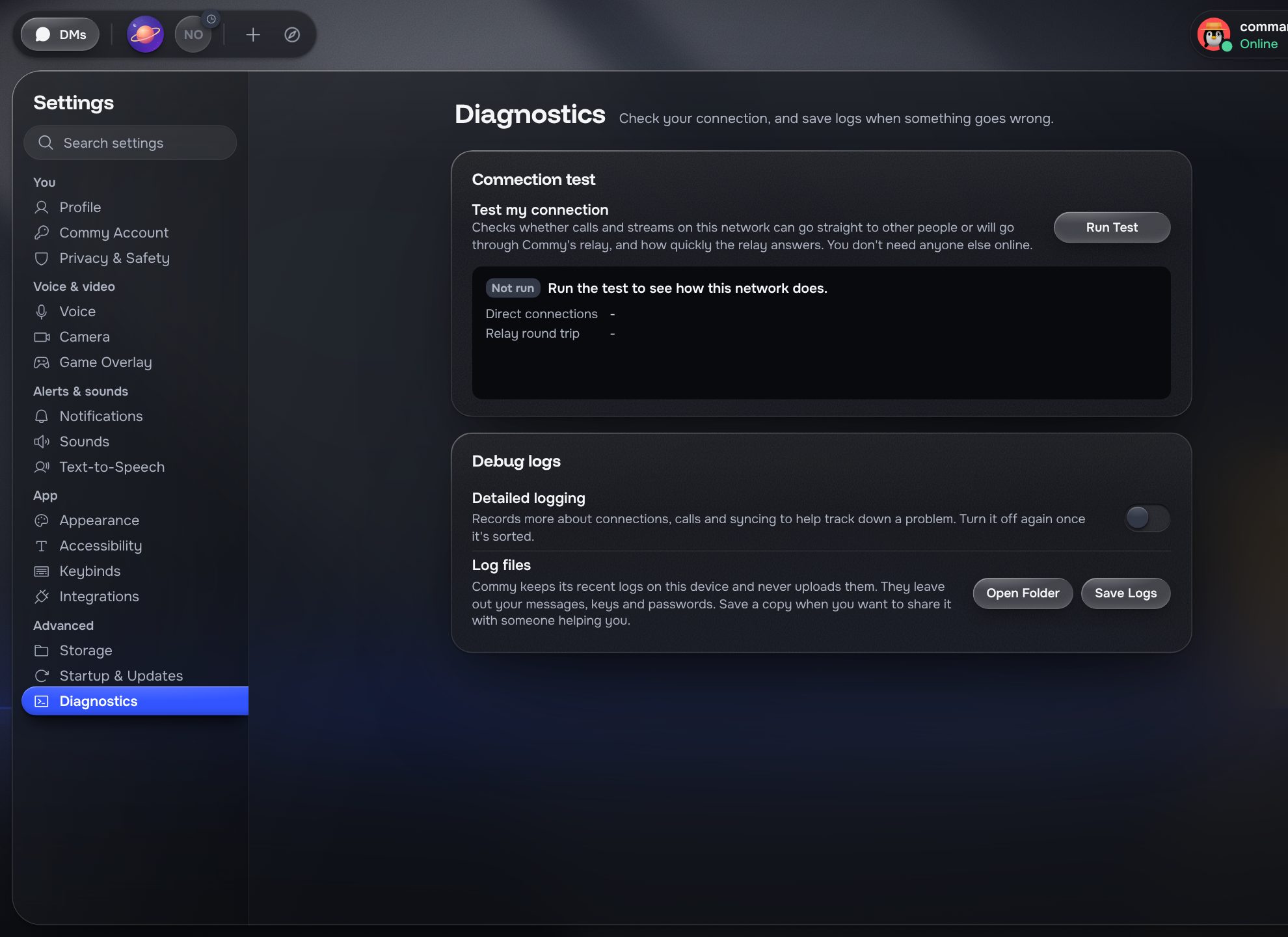
Open Settings, Diagnostics, and choose Run Test next to Test my connection. It checks whether calls and streams on your network go straight to other people or through Commy's relay, and how quickly the relay answers. You do not need anyone else online.
Getting help
If something still is not right, turn on Detailed logging in Settings, Diagnostics, make the problem happen again, then save a copy of the logs from Log files. Logs stay on your device, are never uploaded, and leave out your messages, keys and passwords, so you can share the copy with whoever is helping you. Turn Detailed logging off again afterwards.