 Commy
Messages and chat
Text channels are where a server talks. Pick one in the channel list, type in the box at the bottom and press Enter.
Format what you write
Commy understands simple formatting as you type:
| You type | You get |
|---|---|
**bold** | bold |
*italics* or _italics_ | italics |
__underline__ | underline |
~~strike~~ | strikethrough |
| ` | |
`code` | inline code |
| three backticks around lines | a code block |
# Heading, up to three levels | a heading |
> text | a quote |
- item or 1. item | a list |
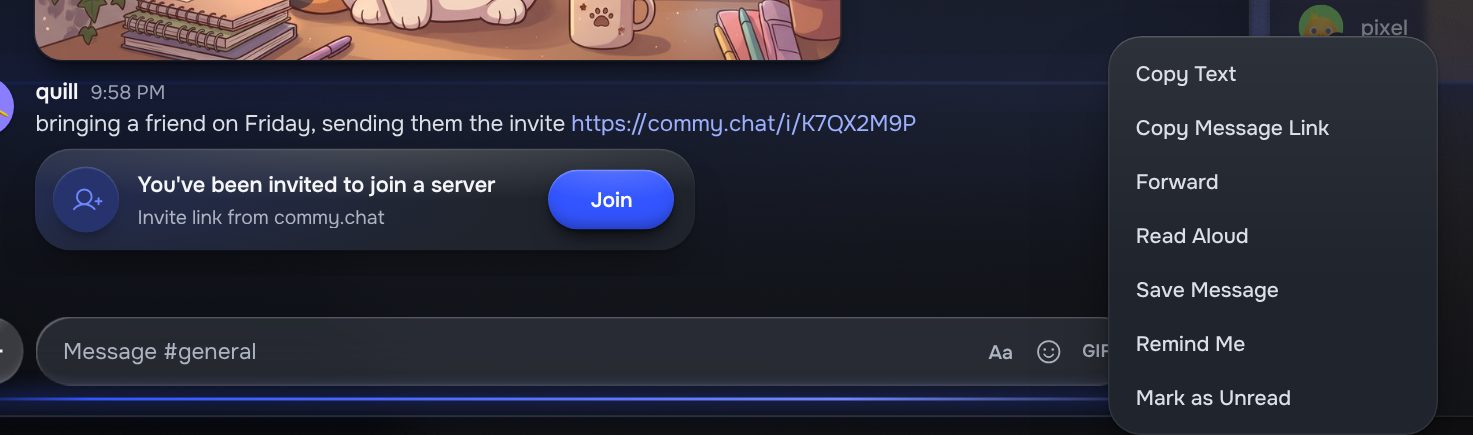
Links turn clickable. Type @name to mention someone, and mentions of you are highlighted. A link to a Commy invite becomes a card with a Join button.
Colours, fonts and effects
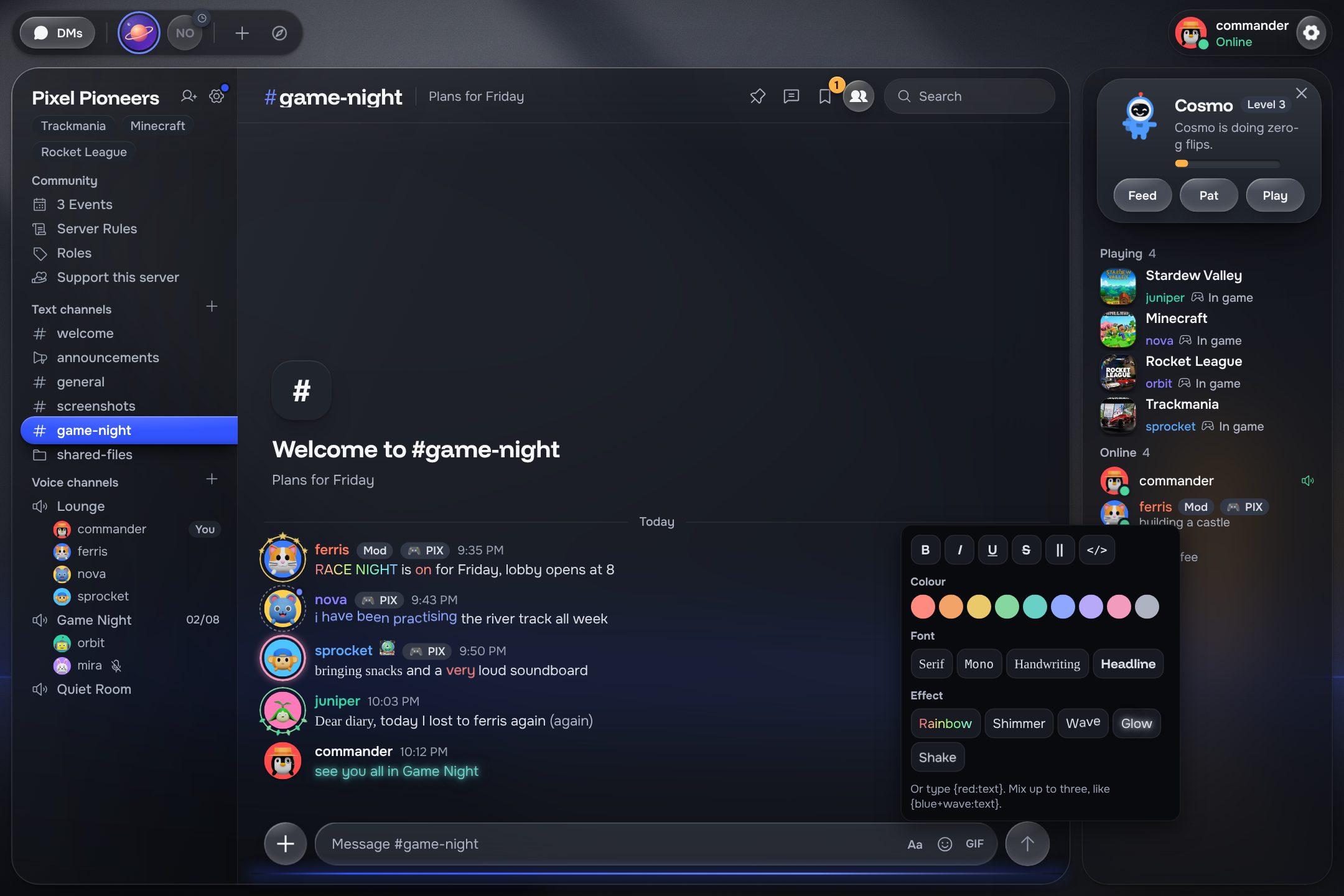
Give words a colour, a different font or a little movement. Select some text and click Aa in the message box to open the text style picker, or type the tag yourself: {red:text}, {serif:text} or {wave:text}. Mix up to three, like {blue+wave:text}.
| Kind | Names |
|---|---|
| Colour | red, orange, yellow, green, teal, blue, purple, pink, gray |
| Font | serif, mono, hand, display |
| Effect | rainbow, shimmer, wave, glow, shake |
Colours stay readable in both the dark and light theme, and moving effects stand still when reduced motion is on. If you would rather see every message plain, turn off Text Colours and Effects in Settings, Appearance.
Add more than text
Use the plus button at the left of the message box.
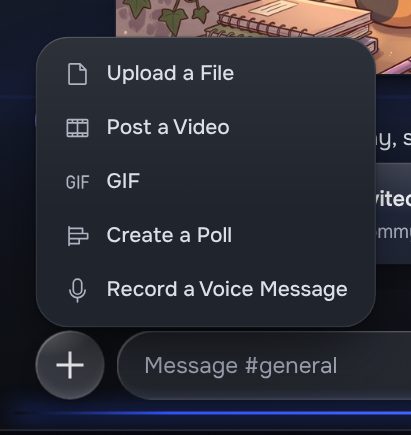
- Upload a File sends a file or image, up to 4 GB from the desktop app. Images show inline and files get a Download button. Pasting or dropping a file works too. See Files and drives.
- Post a Video sends a video that plays in the chat.
- GIF opens a GIF search. You can also type
/gifand a search word. - Create a Poll is covered below.
- Record a Voice Message records from your microphone and sends a clip people play in place.
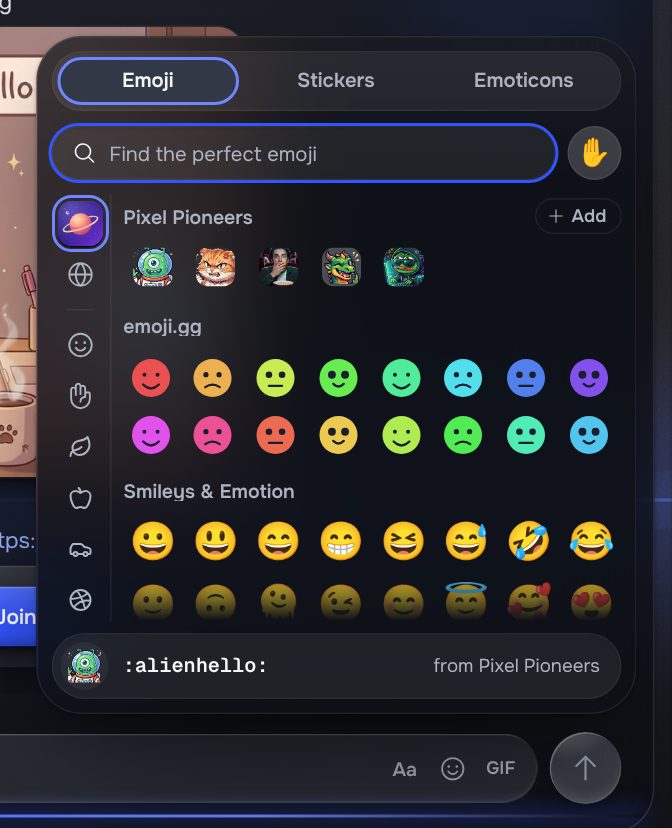
The smiley button opens the picker with three tabs: Emoji, Stickers and Emoticons. The emoji tab has the full emoji set with search by name or keyword, your most used ones, a skin tone choice and every server's own emoji in a rail at the side. Stickers are big images sent as a message of their own, and emoticons are text faces. Servers can add their own, see Make your server yours.
React, reply, edit and delete
Hover over a message to show its action bar.

- Add Reaction puts an emoji under the message. Click an existing reaction to add yours.
- Reply quotes the message above your own.
- Open Thread starts or opens a thread under the message.
- Pin keeps it in the channel's pinned list, if your role allows pinning.
- Edit (the pencil, on your own messages) changes the text, and the message is marked as edited.
- Hide for Me hides someone else's message on your screen only.
- Delete removes your message for everyone. Moderators can delete other people's messages. Hold Shift while clicking to skip the confirmation.
- More opens the full menu: Copy Text, Copy Message Link, Forward, Read Aloud, Save Message, Remind Me and Mark as Unread.
Threads
A thread keeps a side conversation under one message so the channel stays readable. Choose Open Thread on a message, or click its replies link, and the thread opens on the right. The buttons at the top of a thread rename it, archive it and lock it. The thread button in the channel header lists every thread in the channel.
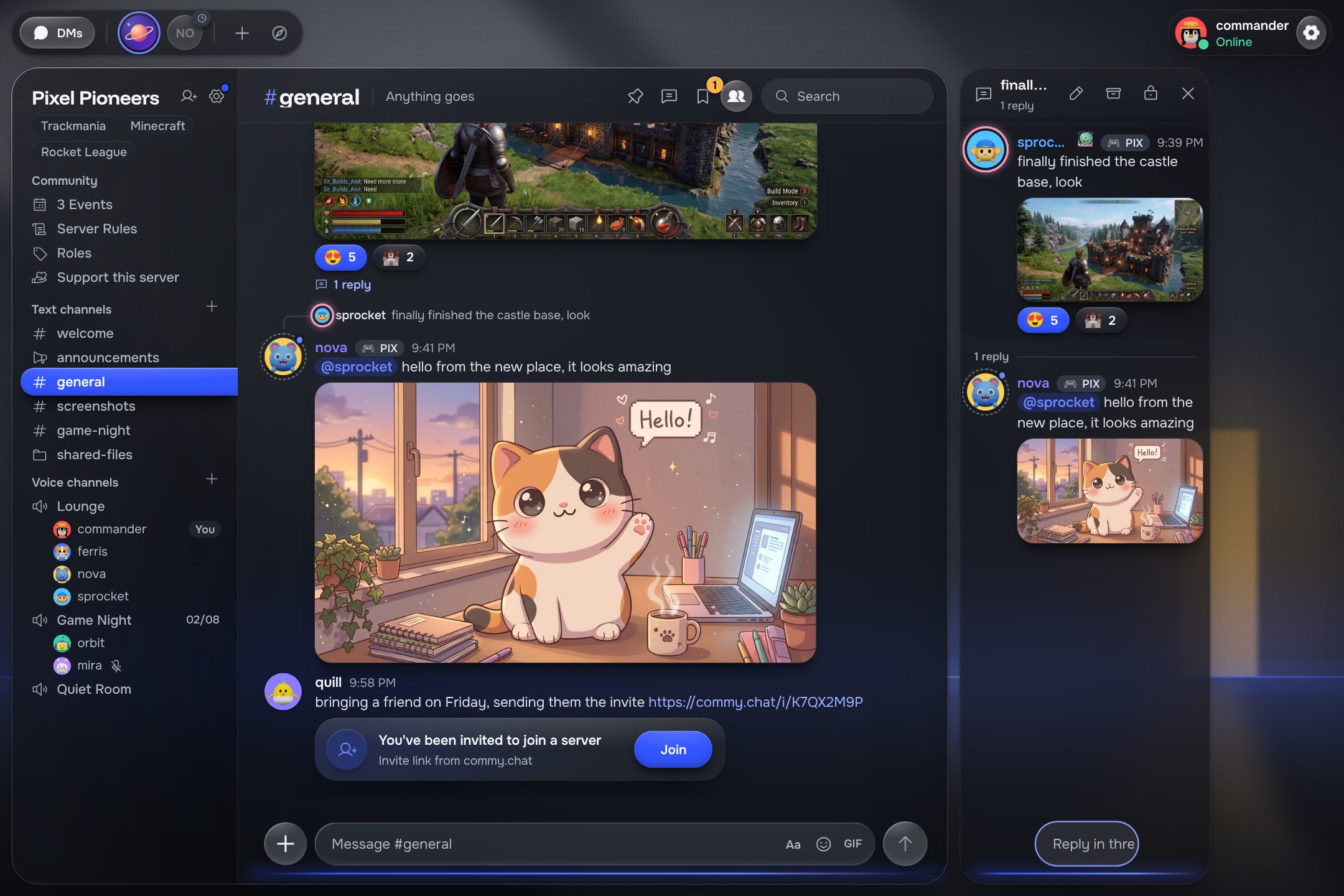
Members need the Start threads permission to create them.
Pins
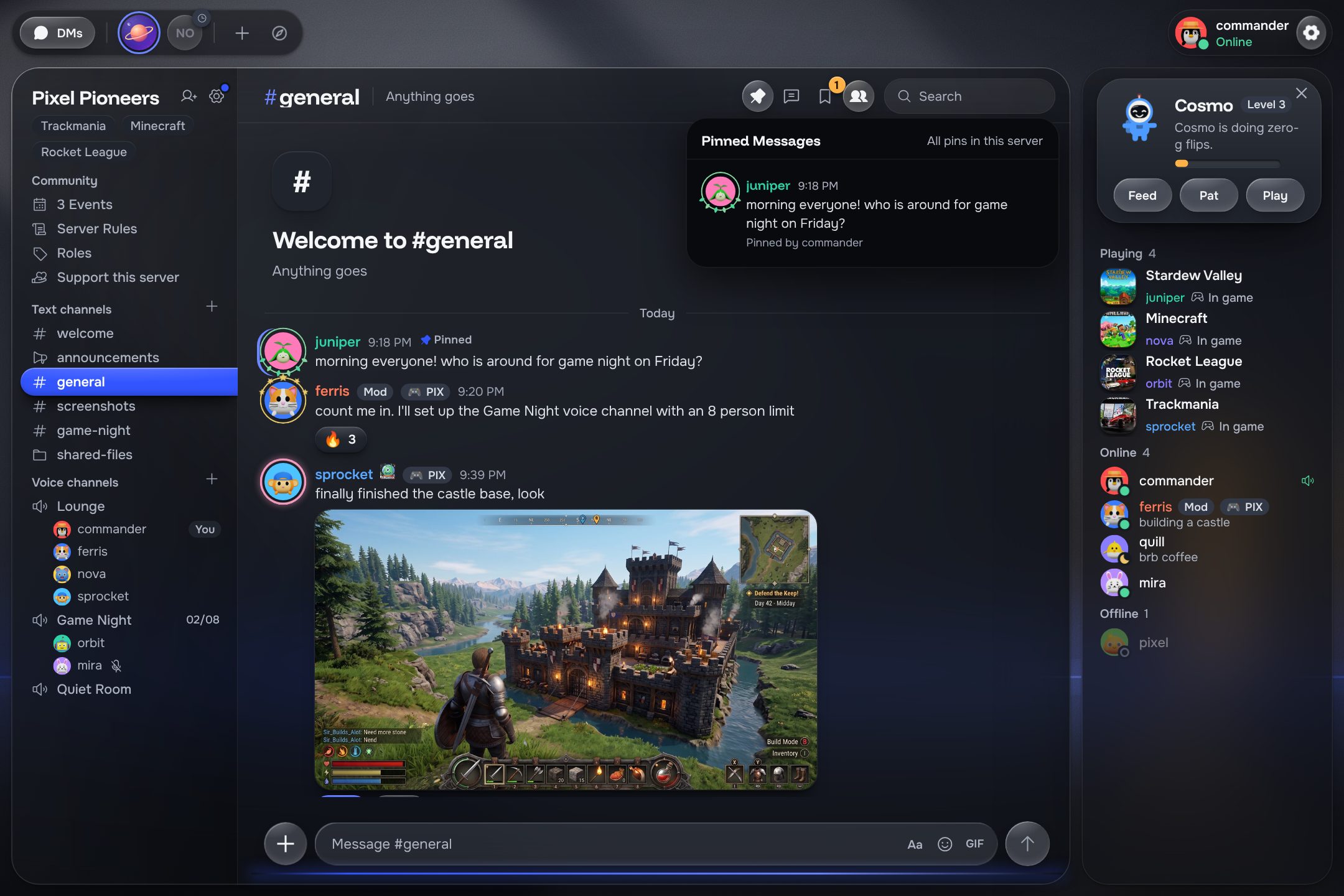
The pin button in the channel header lists the pinned messages. Server owners and moderators can pin a message from its action bar.
Polls
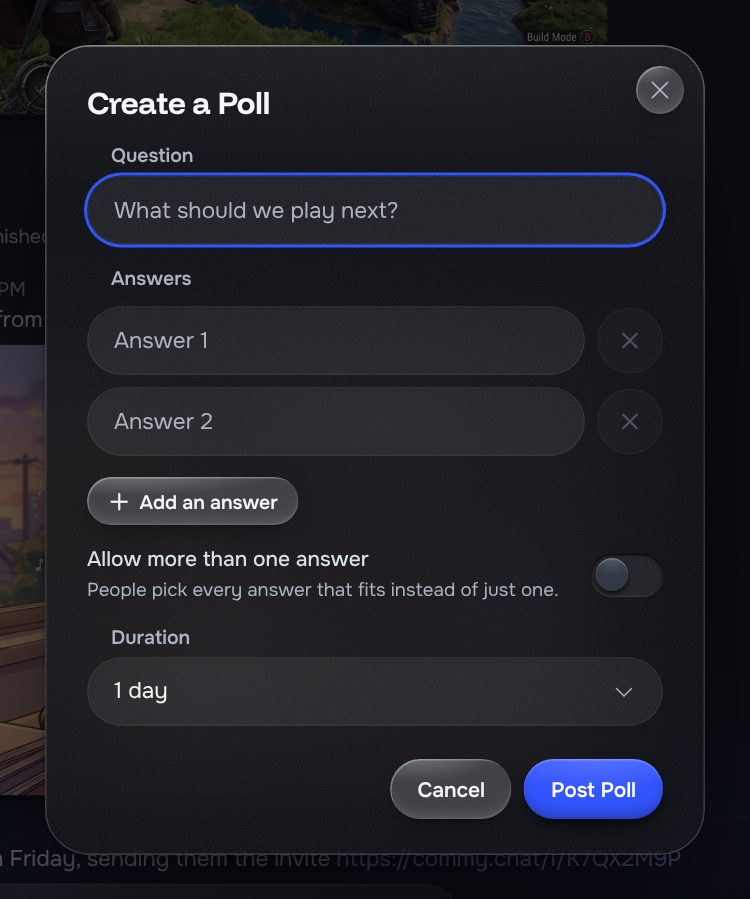
Choose Create a Poll from the plus menu. Write the question, add the answers, decide whether people can pick more than one, and choose how long the poll stays open. Everyone can vote from the poll in the channel, and the person who made it, or a moderator, can close it early.
Search
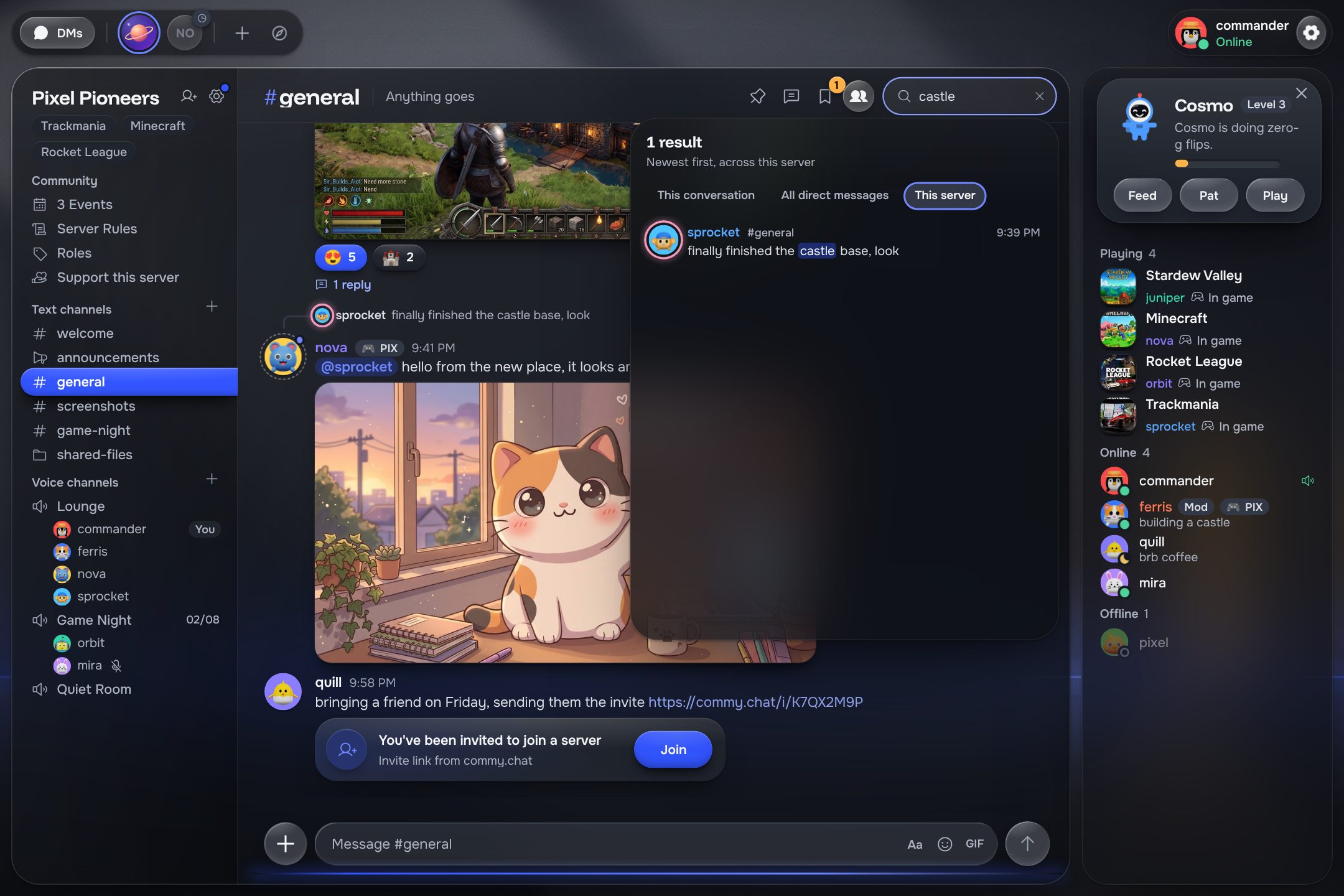
The search box in the channel header looks through messages on your device. Choose where to look: This conversation, All direct messages or This server. Press Ctrl+F to jump to the box.
Narrow a search with filters: from: for who wrote it, mentions: for who it mentions and in: for a channel. Put a phrase in quotes to match it exactly. Results come newest first, fifty at a time with Newer and Older buttons, and clicking one jumps to the message in the channel, even weeks back.
Saved messages and reminders
Save any message with the bookmark in its action bar. The bookmark button in the channel header opens your Saved list, which stays on that device.
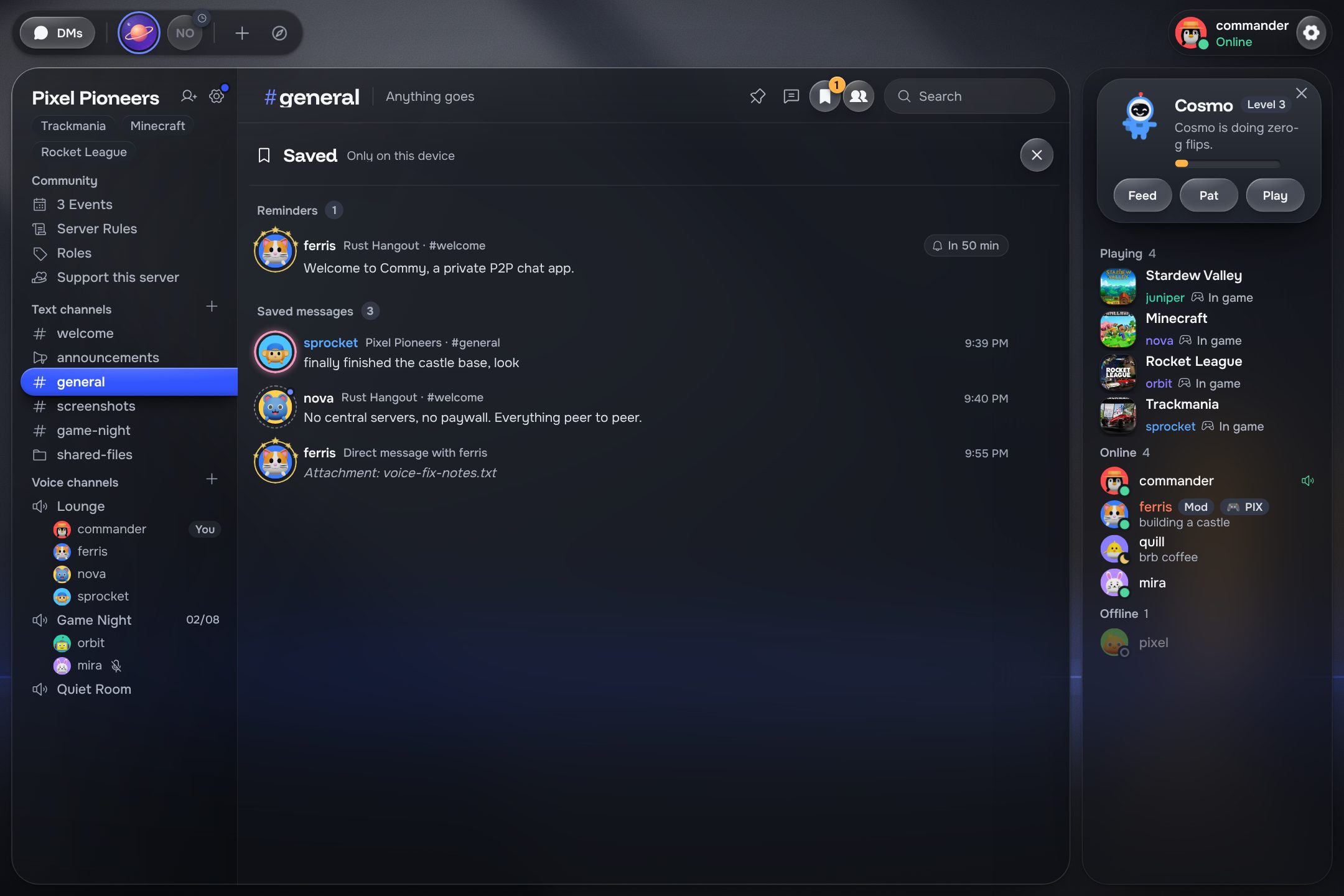
Choose Remind Me on a message to get a notification later: in 20 minutes, in an hour, in three hours, tomorrow morning or at a time you pick.
Catch up on what you missed
A red NEW line marks where you left off in a channel. Choose Mark as Unread on a message to come back to it. Your read positions follow you between devices.
Links to other sites
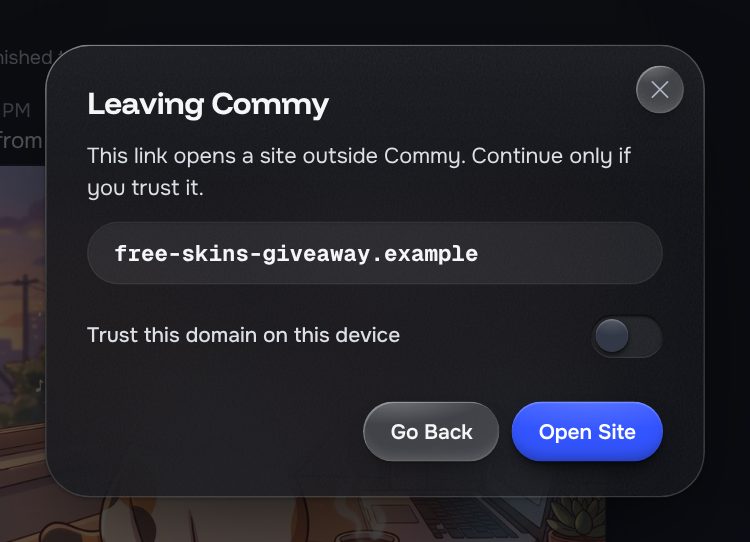
Before a link from a message opens a site outside Commy, your app checks it on your device. A site you have not opened before shows a Leaving Commy box with the real address, and you can tick Trust this domain on this device so it opens straight away next time. Links whose text points somewhere else, addresses made to look like a different site, and sites on public phishing and malware lists get a stronger warning. Nothing about the link is looked up on a server.
Read aloud
Start a message with /tts and it is read aloud to everyone in voice who has text to speech on, you included. Any message's menu also has Read Aloud. Pick the voice and when it speaks in Notifications and sounds. A server can turn /tts off for everyone.
Where it works
- Desktop: everything on this page.
- Phone and tablet: everything on this page except text to speech.
- Browser: everything on this page, with files up to 100 MB.
See Which app does what for the full list.