 Commy
Sync servers
Messages and server settings travel through a sync server, so members get them even when nobody else is online. Each member's device seals them first, so the sync server can't read them. A server that never chose a sync server uses its owner's account server, which is Commy.chat for most servers. Members on other account servers reach it there, and when a member moves their account, their servers stay put.
What a sync server can see
A sync server stores sealed messages and settings and passes them on. It can't read them, but it can see when members connect.
Accounts, direct messages and phone notifications don't use a server's sync server. They stay with each member's own account server.
Joining a server on another sync server
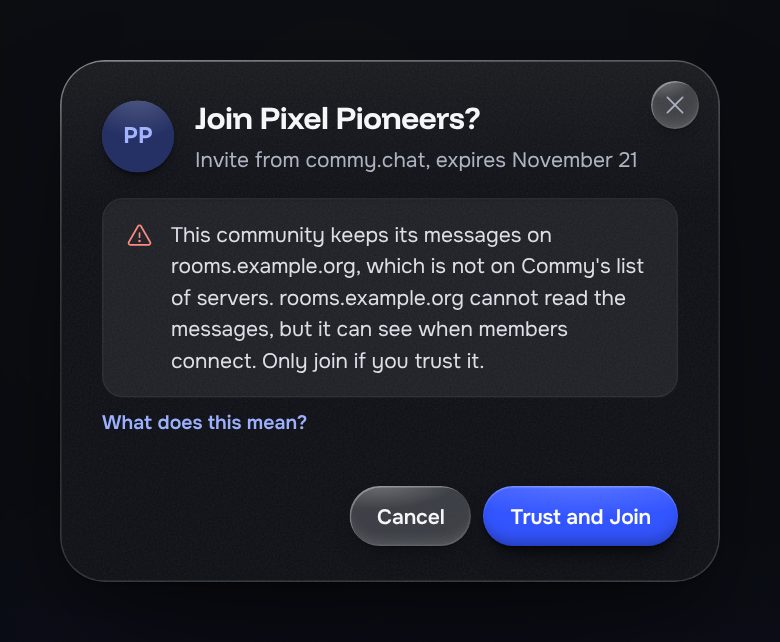
When an invite leads to a server whose sync server isn't on Commy's list, Commy tells you before you join. Choose Trust and Join only if you trust the people who run it. Commy remembers that choice on this device. Sync servers on Commy's list join as usual: their operator signed Commy's pledge, and they pass a check every month. See Choose a server you trust for what the list checks and how to decide about one that isn't on it.
Move your server to another sync server
Only the server's owner can move it. Open Server Settings, Sync Server. A short walkthrough explains each step the first time.
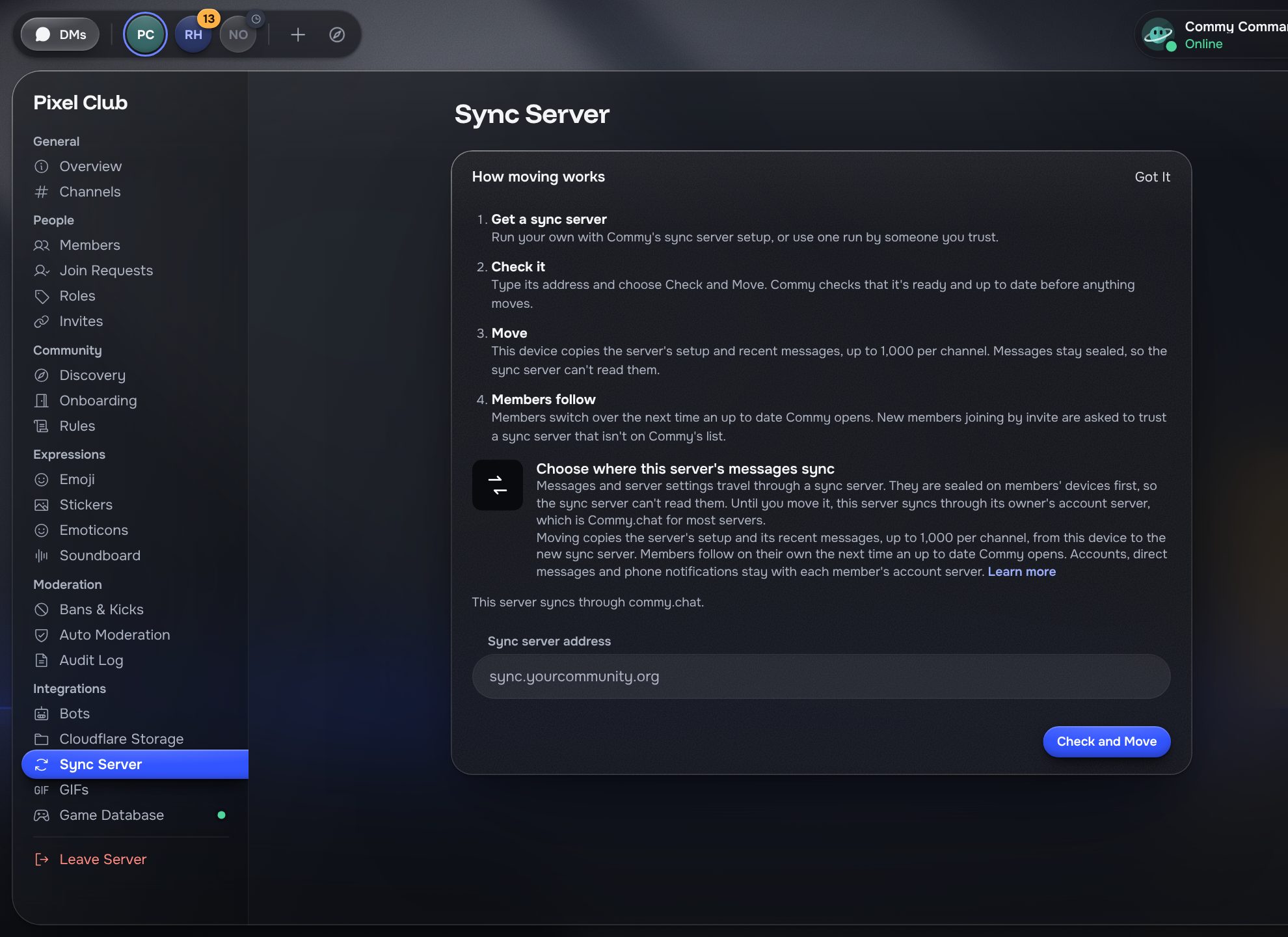
- Get a sync server. Run your own with Commy's sync server setup, or use one run by someone you trust. See Host your own.
- Check it. Type its address, such as
sync.yourcommunity.org, and choose Check and Move. Commy checks that it's ready and up to date before anything moves. - Move. Choose Move Now. Your device copies the server's setup and its recent messages, up to 1,000 per channel, to the new sync server.
- Members follow. Members switch over the next time an up to date Commy opens. New members joining by invite are asked to trust a sync server that isn't on Commy's list.
To go back, choose Move back to Commy.chat on the same page.