 Commy
Invite links
An invite link looks like https://commy.chat/i/AB23CD45#Kx3... (the part after # is a long key). It points at a sealed server invite stored on the account server that made the link. Always share the whole link: without the key it cannot be opened.
Making a link
In your server, open Invite People, pick how long the link lasts (1 hour, 1 day, 7 days or 30 days, or never on a public server) and choose Copy Invite Link. The link is copied to your clipboard.
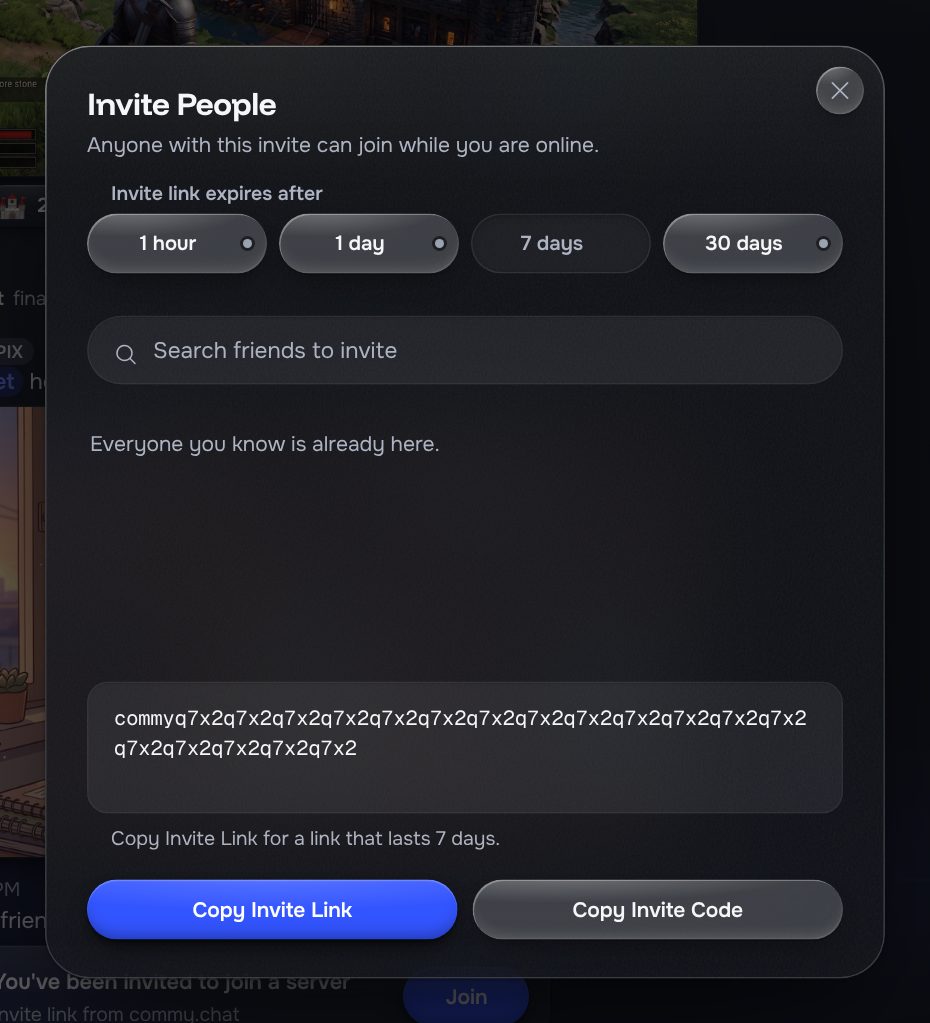
The raw commy... invite in the same dialog still works too. It does not expire, but it is long and only opens in the app.
Custom links
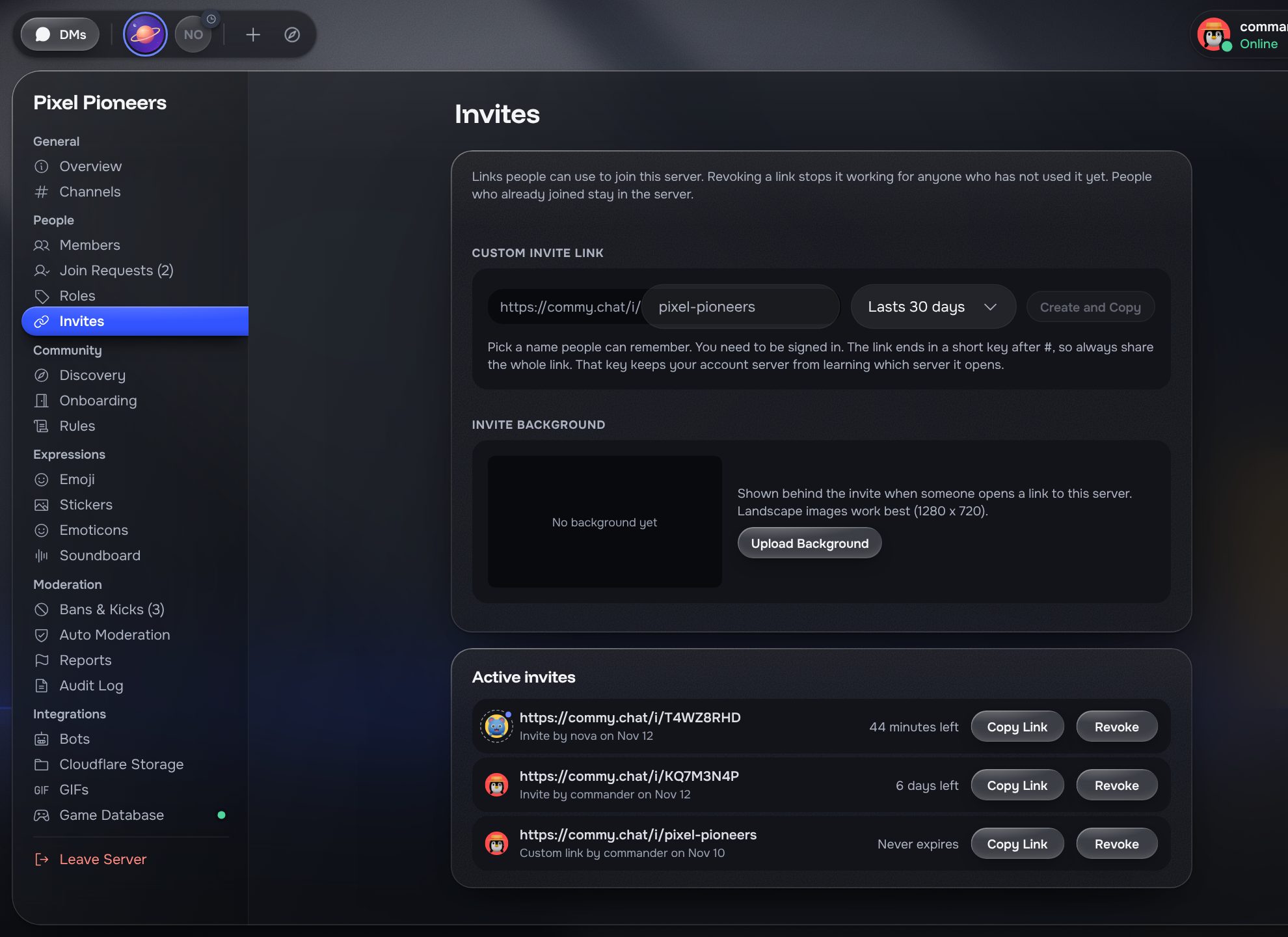
People who can manage a server can give a link a name people remember, like https://commy.chat/i/pixel-pioneers#Qm.... Open Server Settings, then Invites, type a name and choose Create and Copy. Names are 3 to 32 letters, numbers or single dashes. Each name belongs to whoever claimed it first until the link expires or is revoked, and you need to be signed in to claim one.
A custom link still ends in a short key, so the account server can't tell which server a name opens either.
Invite background
Under Server Settings, then Invites, a server's managers can upload an invite background. It shows at the top of the invite page and the Join dialog. Commy seals the image with each link's key, so only people with the link can see it.
Seeing and revoking links
Server Settings, then Invites, lists the server's active links with who made each one and how long it has left. Managers can revoke any link; everyone else sees and revokes their own. A revoked link stops working for anyone who hasn't used it yet, and people who already joined stay in the server.
Opening a link
- With Commy installed: the page has an Open in Commy button. Commy opens and shows a Join dialog with the server name.
- Without Commy: download it from the same page, then paste the link into Add a Server.
- In a chat: links sent in a Commy message get a Join button.
- In your browser: open commy.chat/web, sign in and paste the link into Add a Server. The browser app can make, list and revoke links too.
Links from other servers
Anyone can host their own Commy account server, so a link can come from a domain other than yours. Commy resolves the link on the server named in it, and when that is not your account server the Join dialog warns you first. Only join if you trust the person who sent it. When the server keeps its messages on a sync server that isn't on Commy's list, Commy asks you to choose Trust and Join. See Choose a server you trust.
Joining never moves your account. You stay on your own account server.
What a link reveals
An invite contains the server name and id, plus the network addresses of the member who created it, so new members can connect to them. That is true of every Commy invite, link or not, so only share links with people you want in the server.
The account server cannot read any of that. Commy seals the invite with the key in the link before sending it, and the part of a link after # is never sent to any server, by browsers or by Commy. The account server only stores the link's code, the sealed invite, when it expires, a hash of the secret that revokes it, and the sealed background if the server has one. The invite page opens the sealed invite in your own browser to show the server name.
Links made by older versions of Commy have no key and keep working until they expire.
Servers that ask first
On a server with Ask to join turned on, a link sends a request instead of letting someone straight in, and a moderator lets them in. See Moderation.