 Commy
Move your account to another account server
You can move your Commy account to another account server and keep being you. Your identity, profile, friends, server list and settings come with you, and the people you talk to find you there on their own.
Before you move
- Use the desktop or phone app. The browser app can't start a move.
- Check that this device is synced. Settings, Commy Account should say Up to date. If not, choose Sync now and wait a moment.
- Choose the new account server with care. It signs you in and wakes your phone from now on. See Choose your account server.
Move
- Open Settings, Commy Account, and find Move your account.
- Type the new account server's address, such as
friends.example, and choose Move. - Read the summary and choose Move Account. Commy copies your account to the new server, then signs this device out.
- Sign in, or create an account, on the new server. The sign in screen reminds you where to finish.
- Commy welcomes you on the new server and brings back your servers and settings.
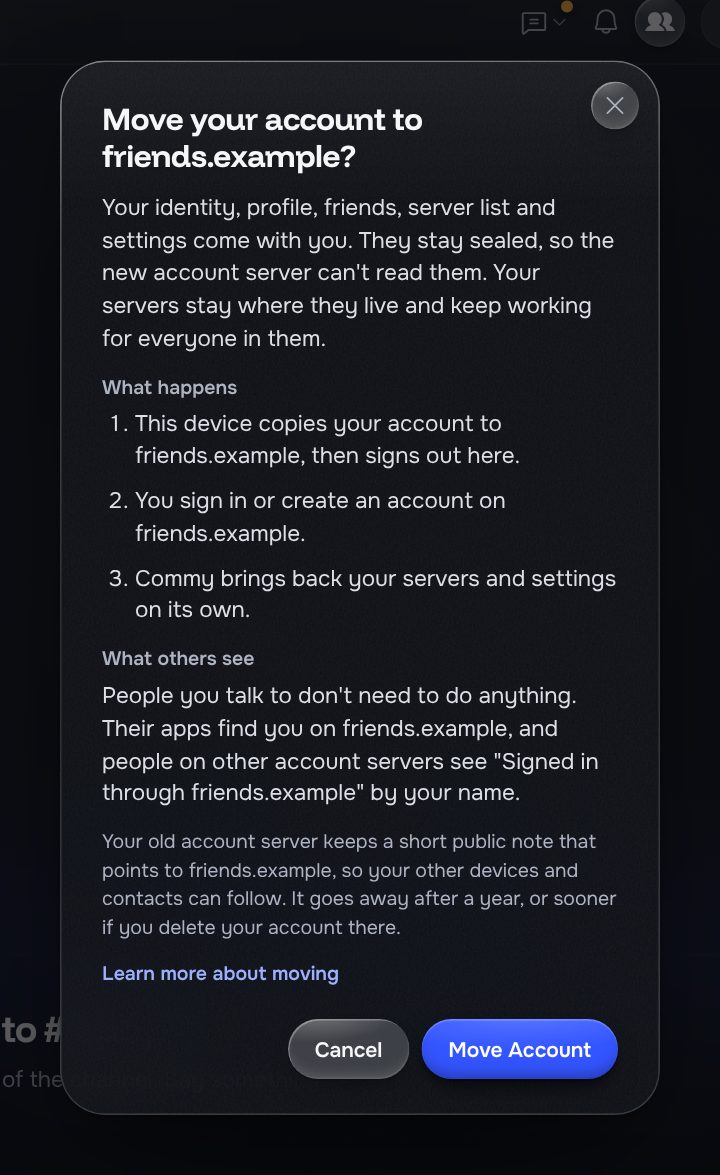
Finish signing in within 30 days. After that, start the move again.
What comes with you
- Your identity, the key that proves you are you.
- Your profile, your friends and the people you message.
- Your server list and your settings.
All of it stays sealed, so the new account server can't read it.
Your servers stay where they live. Moving your account doesn't move any server, so each one keeps working for you and everyone in it, with its history. If you own servers that never chose a sync server, Commy first keeps them on your old account server's sync service, then moves you, so their members see no change. To move one of those servers later, use its Sync Server settings.
Group chats you started follow you to your new account server, and their recent messages stay behind.
Ways to sign in, such as a password, passkeys and two-step sign in, belong to each account server, so set them up again on the new one.
After you move
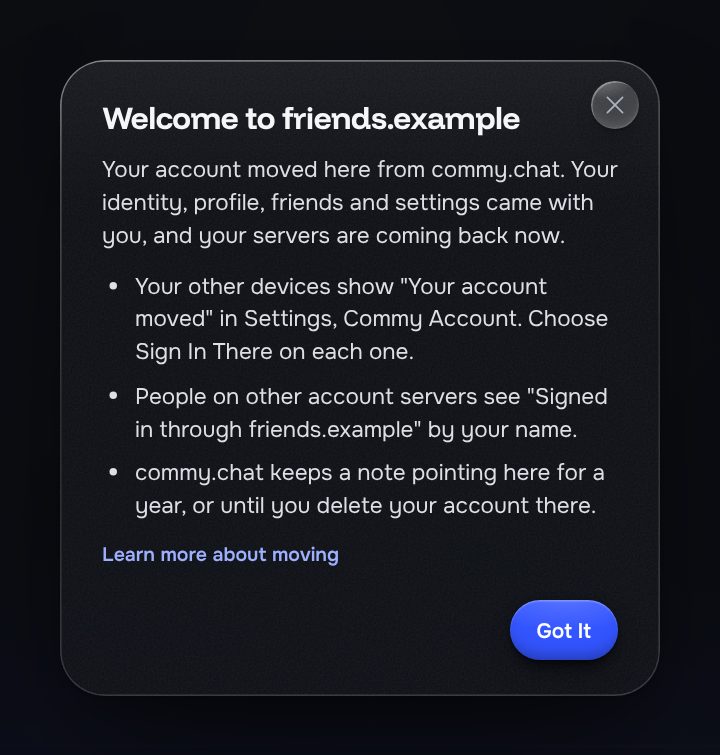
Your other devices keep their place until you move them. Each one shows "Your account moved" in Settings, Commy Account. Choose Sign In There on each device, then sign in on the new server, and its servers come along too.
People you talk to don't need to do anything. Their apps find you on your new account server. People whose account lives somewhere else see "Signed in through" and your new server by your name.
Your old account isn't deleted. If you want it gone, delete it there later, once your other devices have followed you, because deleting it also removes the note below.
The note on your old account server
Your old account server keeps a short public note so your contacts and your other devices can find your new one. It holds your Commy user id, your identity key, the new server's address, the time of the move and your device's signature. Anyone who knows your identity key can read it.
The note goes away after a year, when you delete your account on the old server, or when you move back there, whichever comes first.
Move back
Move again, this time to your old account server. It drops its old note when you arrive.
If something goes wrong
- "That account server does not offer a sync service": the server can't keep your account's sealed data. Pick another one.
- "This device does not hold your server list yet": open Settings, Commy Account, choose Sync now, then try again.
- Your servers don't come back on the new server: Commy never replaces a server list it can't open. If the account you signed in to on the new server already had a server list, sign in to a fresh account there and move again.