 Commy
Which app does what
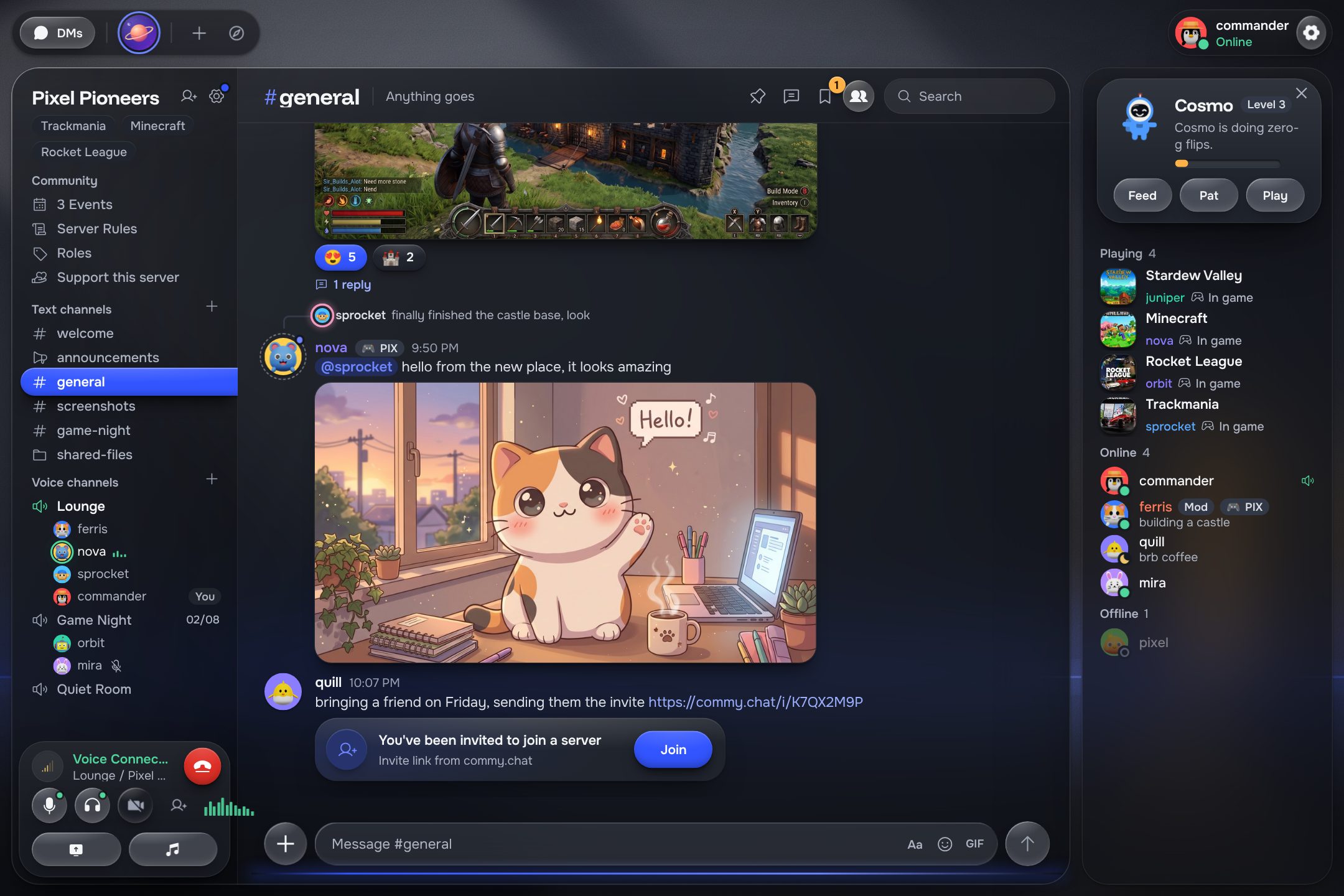
Commy is the same account and the same servers on every device. Sign in and your servers, direct messages and read positions follow you.
- Desktop for Windows, macOS and Linux is the complete app. Windows is the main platform, and a few features such as the game overlay and notification toasts are Windows only for now. See Desktop extras.
- Browser at commy.chat/web runs Commy in a tab with nothing to install. See Commy in your browser.
- Phone and tablet apps run the same app with a layout made for touch. Get the iPhone and iPad app on the App Store. Get the Android app on Google Play. See Phone and tablet.
What each app can do
A dash means that app does not have the feature.
| Feature | Desktop | Browser | Phone and tablet |
|---|---|---|---|
| Sign in and open your servers | Yes | Yes | Yes |
| Send, edit, delete, reply and react in text channels | Yes | Yes | Yes |
| Text colours, fonts and effects | Yes | Yes | Yes |
| Threads, pins, polls, search, saved messages and reminders | Yes | Yes | Yes |
| Emoji, sticker and GIF picker | Yes | Yes | Yes |
| Files in channels and direct messages | Up to 4 GB | Up to 100 MB | Up to 512 MB |
| Drive channels | Yes | - | - |
| Keep shared files up for others | Files members post up to 25 MB, and every file you open | - | A 500 MB cache of files you send, open or download |
| Record voice messages | Yes | Yes | Yes |
| Direct messages, group chats, friends and blocking | Yes | Yes | Yes |
| Report people or messages | Yes | Yes | Yes |
| Direct message calls and server voice channels | Yes | Yes | Yes |
| Noise cancellation, mic level, device choice and mic test | Yes | Yes, with the browser's own processing | Yes |
| Voice filters | Yes | - | Yes |
| Camera, camera backgrounds and avatars | Yes | - | Yes |
| Watch someone's screen share | Yes | - | Yes |
| Share your screen or a game | Yes | - | Android |
| Stage channels, activities, the soundboard and join sounds | Yes | Yes | Yes |
| Create servers, channels and roles, and moderate | Yes | Yes | Yes |
| Ask to join, bans and kicks, and server limits | Yes | Yes | Yes |
| Server tags, tip jar and server pet | Yes | Yes | Yes |
| Join a server from an invite link | Yes | Yes | Yes |
| Profile, avatar borders, card effects, status and Do Not Disturb | Yes | Yes | Yes |
| Notification and sound settings | Yes | Yes | Yes |
| Text to speech | Yes, with built-in voices | Browser's voices | - |
| Appearance and accessibility settings | Yes | Yes | Yes |
| Connection test | Yes | Yes | Yes |
| See the space Commy uses | Yes | - | Yes |
| Choose and move your data folder, clear data | Yes | - | - |
| Game overlay, tray icon, start with your computer, keybinds, Stream Deck, automatic updates and the startup loader | Yes | - | - |
Pick the right one
- Use the desktop app for everything, to share your screen, and for drives and big files.
- Use the browser when you are on a computer that is not yours, or to join a call quickly. It runs your servers, chat, voice and server settings with nothing to install.
- Use the phone or tablet app to stay in touch away from a computer.
Each page in the guides says where a feature works, so you never have to guess.